MailGuard has intercepted a new phishing campaign impersonating Intuit QuickBooks that attempts to steal victims' account credentials by directing them to a fake login page designed to harvest usernames and passwords.
Unlike many phishing campaigns that rely solely on deceptive emails, this attack uses a polished HTML email and a staged credential‑capture flow that mimics genuine QuickBooks interfaces. The scam leverages convincing branding, realistic payment details, and urgency cues to trick recipients into entering their login information.
How the Scam Works
The phishing email claims that a payment for a QuickBooks invoice has been successfully received, using the subject line:
Payment Received — Invoice #INV‑xxxx Has Been Paid
The message appears professional and includes a detailed payment summary, complete with amount, transaction ID, payment date and payment method. A prominent “View Receipt” button urges recipients to review the payment.
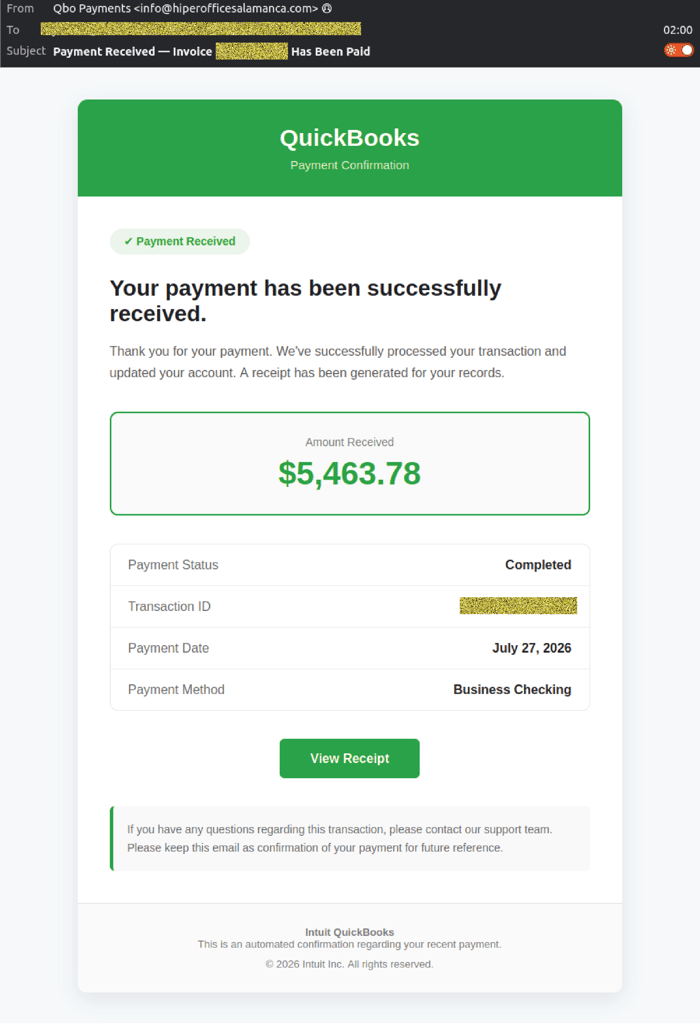 Example phishing content shown using QuickBooks branding. Not affiliated with Intuit
The email attempts to build trust by imitating legitimate QuickBooks payment confirmation templates. However, the sender information reveals clear anomalies:
- Display name: Qbo Payments
- Display address: info(at)hiperofficesalamanca(dot)com
- Actual sending address: Unique per message, following the pattern info+<UUID>_vt1(at)bounce-zem.hiperofficesalamanca(dot)com
Clicking the button leads victims to a phishing site that begins a multi‑step credential harvesting process.
Fake Login Pages Capture Username and Password
Recipients who click the link are taken to a convincing QuickBooks login page.
The first page requests the user’s email or user ID, replicating the layout and branding of the legitimate Intuit sign‑in screen.
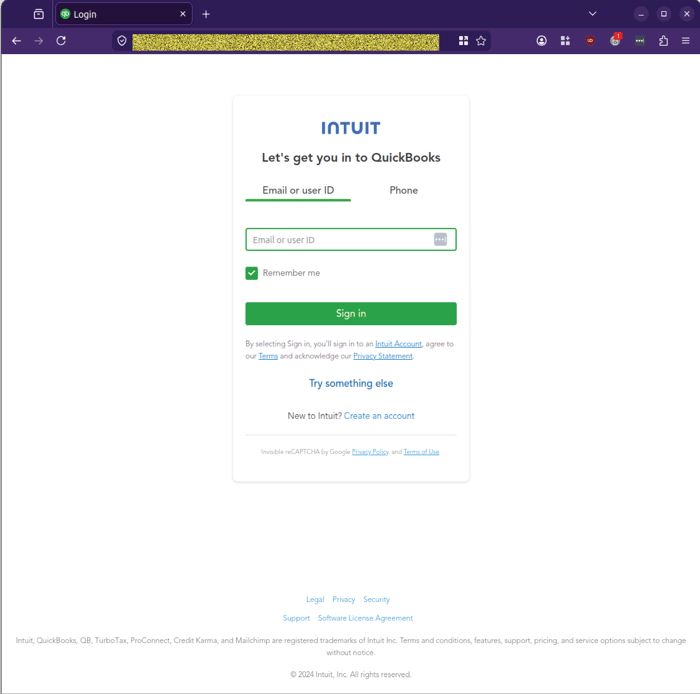 Example phishing content shown using QuickBooks branding. Not affiliated with Intuit
After entering their username, victims are taken to a second page prompting them to enter their Intuit password.
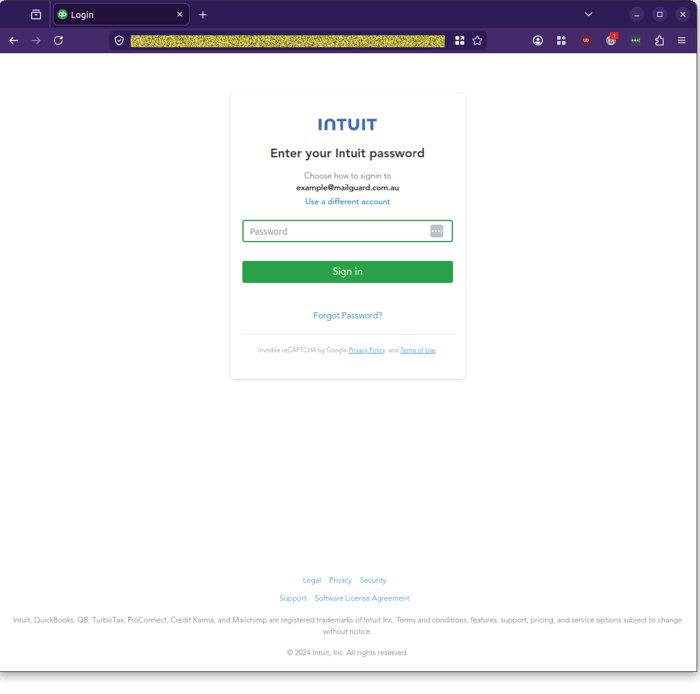 Example phishing content shown using QuickBooks branding. Not affiliated with Intuit
Once credentials are submitted, the phishing site displays a “Please wait…” loading screen that never progresses.
 Example phishing content shown using QuickBooks branding. Not affiliated with Intuit
This behaviour is consistent with credential‑harvesting attacks where the backend has already captured the victim’s details, and no further interaction is required.
Sophisticated Delivery Techniques
Several aspects of this campaign demonstrate a higher‑than‑average level of sophistication.
Most notably, the attackers:
- Use professionally designed phishing pages that closely imitate Intuit’s login flow.
- Personalise sender information by displaying “Qbo Payments” to appear more believable.
- Rotate sending addresses using unique UUID‑based identifiers to evade simple blocklists.
- Provide realistic payment details to reduce suspicion and encourage quick action.
Combined with a staged login process and a post‑submission loading screen, these techniques create a seamless experience intended to minimise user suspicion.
Stay Safe, Know the Signs
MailGuard advises all recipients of these emails to delete them immediately without clicking on any links. Responding or providing personal details can lead to identity theft, data breaches, and financial losses.
Avoid emails that:
- Aren’t addressed to you personally.
- Are unexpected and urge immediate action.
- Contain poor grammar or miss crucial identifying details.
- Direct you to a suspicious URL that isn’t associated with the genuine company.
Many businesses turn to MailGuard after a near miss or incident. Don't wait until it's too late. Reach out to our team for a confidential discussion by emailing expert@mailguard.com.au or calling 1300 30 44 30.
One Email Is All That It Takes
All that it takes to devastate your business is a cleverly worded email message that can steal sensitive user credentials or disrupt your business operations. If scammers can trick one person in your company into clicking on a malicious link or attachment, they can gain access to your data or inflict damage on your business.
For a few dollars per staff member per month, you can protect your business with MailGuard's specialist AI-powered, zero-day email security. Special Ops for when speed matters! Our real-time zero-day, email threat detection amplifies our client’s intelligence, knowledge, security and defence. Talk to a solution consultant at MailGuard today about securing your company's inboxes.
Stay up-to-date with MailGuard's latest blog posts by subscribing to free updates. Subscribe to weekly updates by clicking on the button below.