MailGuard has identified a new phishing campaign impersonating myGov, designed to harvest user credentials and personal information through a multi-step login process.
This attack uses a simple but effective approach, combining a convincing government-branded email with a staged credential capture workflow that mimics legitimate authentication behaviour.
How the scam works
The attack begins with a phishing email designed to appear as a legitimate notification from myGov.
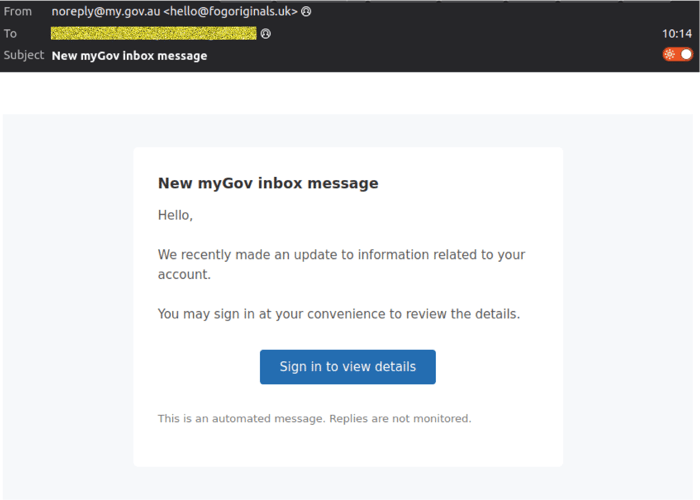
The email encourages recipients to click through to review a message or update their account details. While the display name appears legitimate, the underlying sender details reveal inconsistencies.
- Display name: noreply(at)my(dot)gov.au
- Actual sender domain: fogoriginals(dot)uk (with unique, rotating addresses per send)
This mismatch is a key indicator of a phishing attempt.
Stage 1: Credential harvesting
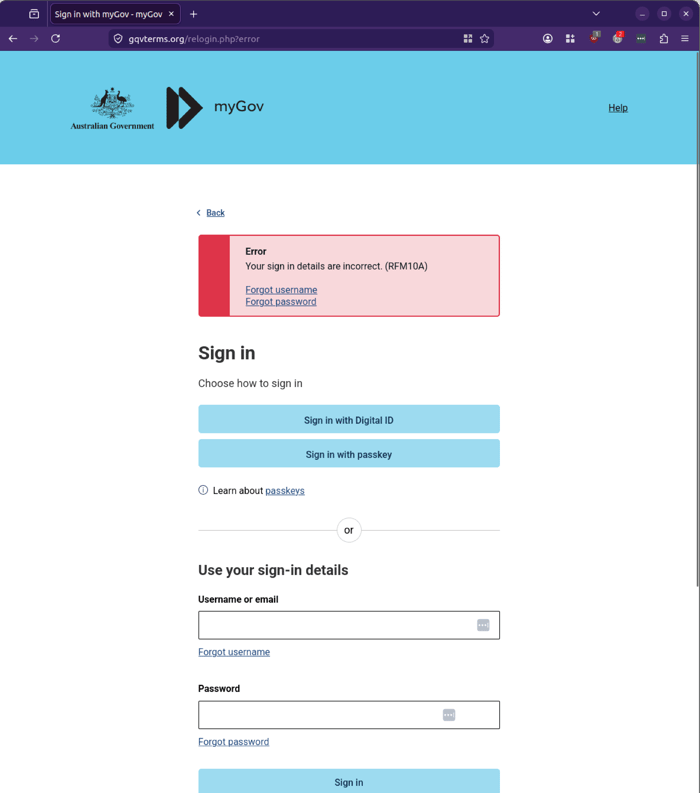
Users who click the link are taken to a spoofed myGov login page.
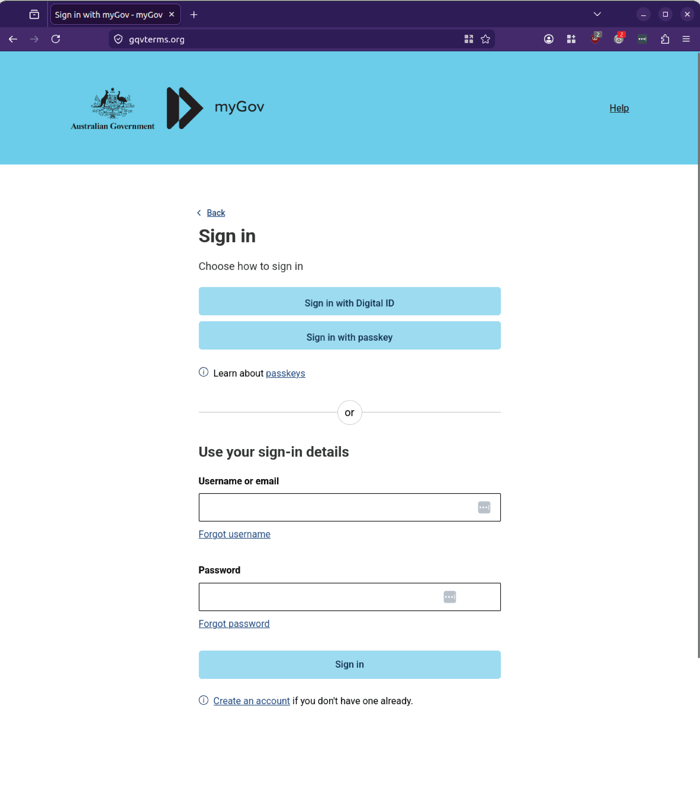
Here, victims are prompted to enter their username and password, just as they would on the legitimate site.
Stage 2: Personal data collection
After submitting login credentials, the user is directed to a second page requesting additional information, such as a phone number.
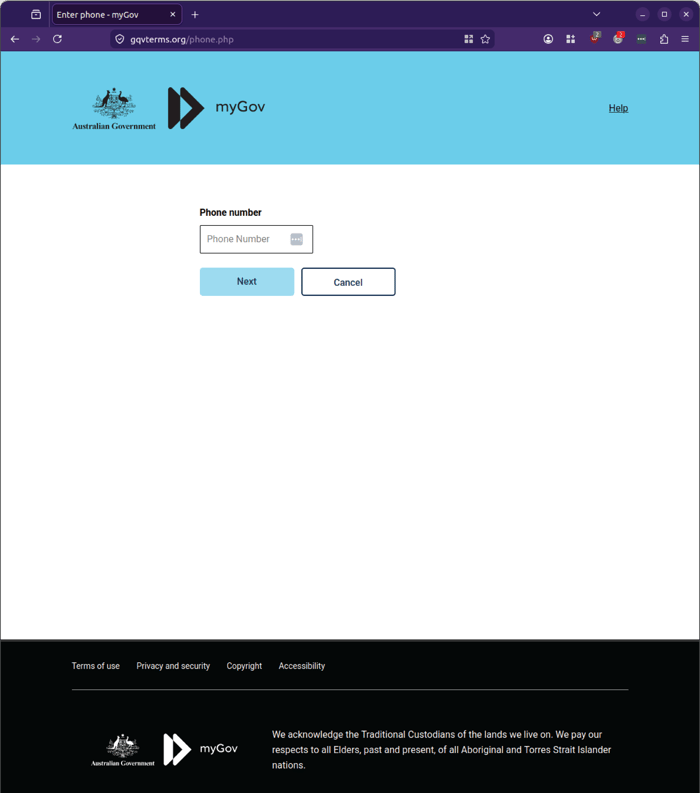
This step expands the attacker’s dataset, enabling further exploitation, including account takeover or identity fraud.
Stage 3: Real-time exploitation attempt
The final stage presents a loading or “verification” screen.
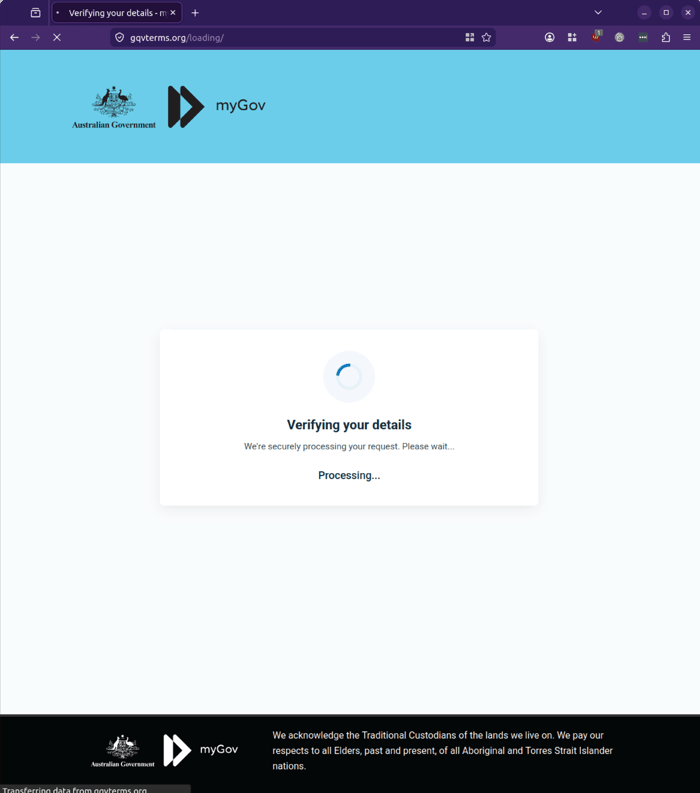
At this point, attackers are likely attempting to use the captured credentials in real time, potentially triggering multi-factor authentication workflows or accessing the legitimate account.
The process then fails and redirects back to the initial login page, a tactic often used to avoid raising suspicion while attackers act in the background.
Why this scam is effective
This campaign highlights a broader shift in phishing tactics.
Rather than relying on a single interaction, attackers are:
- Extending engagement across multiple steps
- Collecting layered data, including credentials and personal information
- Simulating legitimate workflows to build trust
The use of a staged process allows attackers to maximise the value of each interaction while reducing the likelihood of immediate detection.
What to watch for
This scam includes several common indicators of malicious activity:
- Mismatch between display name and actual sender address
- Generic messaging without personalisation
- Requests for login credentials or personal details via email links
- Redirects to domains that do not match official government URLs
Even when branding and page design appear legitimate, these signals remain critical in identifying threats.
Stay Safe, Know the Signs
MailGuard advises all recipients of these emails to delete them immediately without clicking on any links. Responding or providing personal details can lead to identity theft, data breaches, and financial losses.
Avoid emails that:
- Aren’t addressed to you personally.
- Are unexpected and urge immediate action.
- Contain poor grammar or miss crucial identifying details.
- Direct you to a suspicious URL that isn’t associated with the genuine company.
Many businesses turn to MailGuard after a near miss or incident. Don't wait until it's too late. Reach out to our team for a confidential discussion by emailing expert@mailguard.com.au or calling 1300 30 44 30.
One Email Is All That It Takes
All that it takes to devastate your business is a cleverly worded email message that can steal sensitive user credentials or disrupt your business operations. If scammers can trick one person in your company into clicking on a malicious link or attachment, they can gain access to your data or inflict damage on your business.
For a few dollars per staff member per month, you can protect your business with MailGuard's specialist AI-powered, zero-day email security. Special Ops for when speed matters! Our real-time zero-day, email threat detection amplifies our client’s intelligence, knowledge, security and defence. Talk to a solution consultant at MailGuard today about securing your company's inboxes.
Stay up-to-date with MailGuard's latest blog posts by subscribing to free updates. Subscribe to weekly updates by clicking on the button below.